




TL;DR:
If you haven’t launched your product yet and you’re still figuring out what people actually want, vibe coding tools are almost always the right call. They get you to market fast without burning through money you might need later.
Once you have real traction in terms of paying users, investor attention, or enterprise prospects knocking, the calculus changes. These tools have ceilings, and you’ll hit them sooner or later. You will eventually have to move to custom development, whether you do it on your own terms or under pressure.
One thing most people don’t account for: this approach looks cheap upfront, but it often gets expensive as your product grows. When a product outgrows tools like Loveable or similar platforms, a full rebuild typically costs somewhere between $20,000 and $50,000 on a live product, with users waiting. That’s the hidden bill, and it tends to arrive around the 12 to 18-month mark or sooner if your product is in demand.
For products built for enterprise clients, custom development is usually the only viable option. Enterprise software needs SSO, RBAC, SOC 2, data isolation, and SLAs from day one, and most AI-powered builders aren’t designed for that, often becoming blockers during procurement. The practical approach is to start fast, then move core systems to custom or go custom from the start if enterprise is your focus.
Choosing between vibe coding and custom development is one of the earliest and most consequential decisions you’ll make while building a product. It affects how quickly you launch, how much you spend, and how easily you can scale later.
In the early stages, these tools make a strong case. You can build fast, test ideas, and get real users without investing heavily in engineering. For many teams, that speed is exactly what they need.
But as products grow, the trade-offs start to show. What felt flexible in the beginning can become limiting. Features take longer to ship, performance can become inconsistent, and certain requirements simply can’t be met within the constraints of these tools.
That’s where the shift toward custom development begins and becomes a necessity.
This guide breaks down vibe coding vs custom development across cost, scalability, performance, and real-world use cases, so you can make the right decision based on where your product is today and where it’s headed.
What is Vibe Coding?
Vibe coding refers to building websites, apps, and software using AI-powered tools that generate and assemble code for you. Instead of relying fully on engineering teams, you describe what you want, and the system helps you build it.
Earlier, this space was dominated by drag-and-drop no-code tools. Now, a new wave of builders is changing how quickly products can be created.
It’s commonly used for MVPs, landing pages, internal dashboards, apps, desktop tools and simple workflows where time-to-market matters more than deep customization.
However, while this approach accelerates development, it comes with trade-offs. Many founders discover that things start breaking when scalability, performance, or custom integrations become critical. This is why understanding the limitations early on is key before committing to it.
Advantages of Vibe Coding
- Speed: Launch products in days instead of months
- Lower initial cost: No need for a full engineering team
- Ease of use: Non-technical teams can build and iterate
- Great for MVPs: Quickly validate ideas
Disadvantages of Vibe Coding
- Struggles as usage grows: Performance can degrade
- Platform dependency: You’re locked into the tool’s ecosystem
- Limited customization: Complex features are harder to implement
- Hidden costs: Scaling often increases pricing
- Constraints: Integrations and flexibility can be restrictive
These are the main reasons many businesses eventually transition to custom development.
Best Vibe Coding Tools
The space has evolved quickly. Earlier tools made no-code popular, but now a new wave of AI-powered builders is changing how products get built.
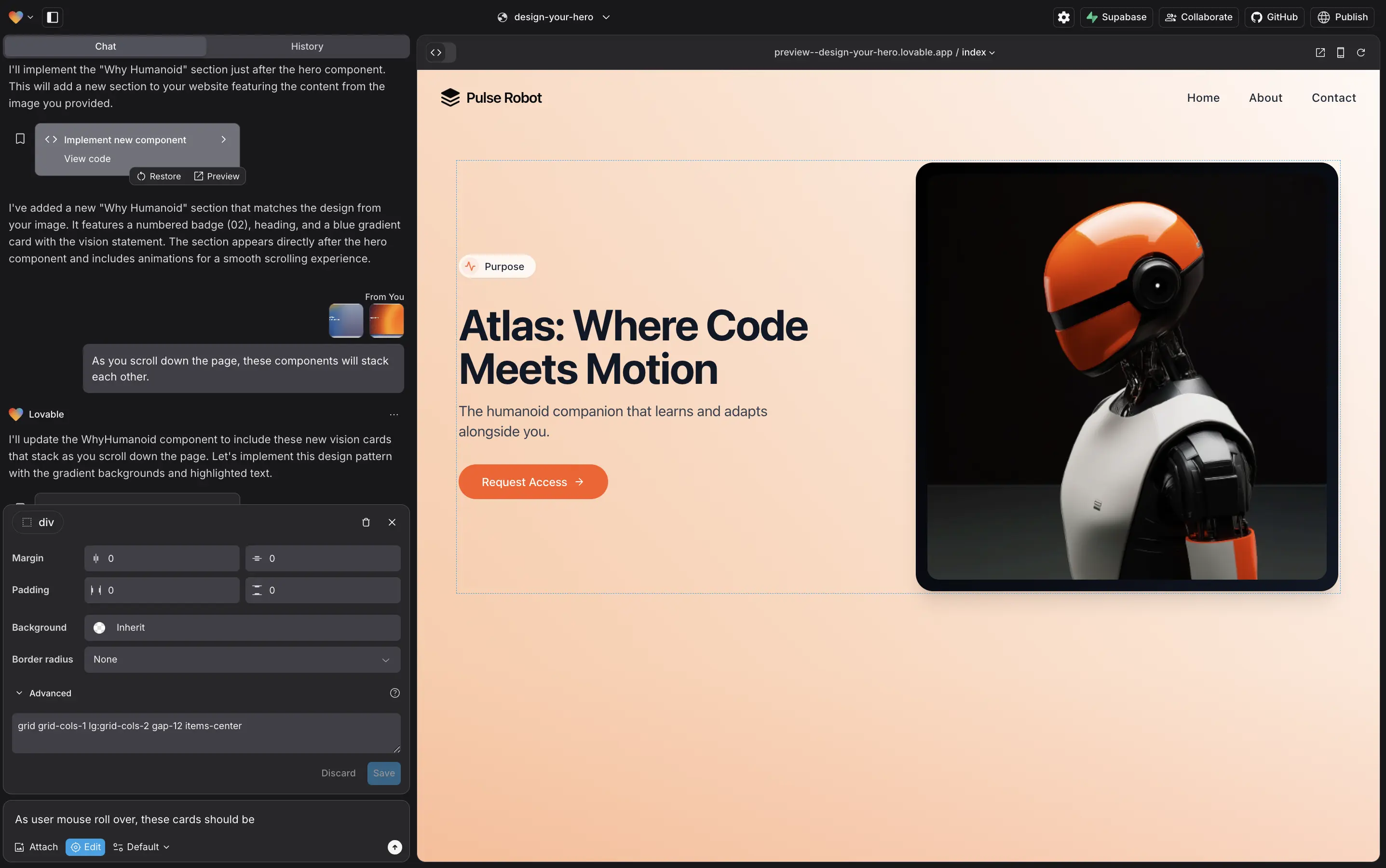
- Lovable: AI-powered builder for full-stack apps where you describe what you want and get working products quickly
- Emergent: Best for vibe coding workflows where you generate, test, and refine product ideas through prompts
- Cursor: AI-first code editor that helps you write, edit, and navigate code faster inside your IDE
- Claude: Best for vibe coding flows where you sketch product logic, flows, and features in plain language and iterate quickly before touching actual code
- Copilot: Code autocomplete tool that suggests functions, snippets, and logic as you write
- Codex: OpenAI’s code generation model that converts natural language into working code
Each tool works well within limits, but as requirements grow, the cracks start to show, especially for high-traffic or feature-heavy products
What is Custom Development?
Custom development refers to building software, applications, or platforms from scratch using programming languages and frameworks, tailored exactly to your business requirements. Unlike vibe code and no-code tools, there are no predefined constraints. You design and develop every feature based on your product’s needs.
Custom development is known for its flexibility and control. It’s typically used for scalable products, complex platforms, and systems that require deep integrations or high performance.
While it takes longer to build than vibe code, custom development eliminates many of the limitations of a vibe-coded platform, making it the preferred choice for businesses planning for long-term growth.

Advantages of Custom Development
- Unlimited flexibility: Build exactly what your product needs
- Scalability: No scalability issues like vibe code. Custom Development systems are designed to grow
- Performance: Optimized for speed and heavy usage
- Ownership: Full control over code, data, and infrastructure
- Custom integrations: Easily connect with any third-party system
These custom software development benefits make it ideal for serious, long-term products.
Disadvantages of Custom Development
- Higher upfront cost: Requires developers and longer timelines
- Slower to launch: Compared to no-code and vibe code tools
- Ongoing maintenance: Requires continuous updates and support
- Technical dependency: Needs skilled teams to build and manage
Vibe Coding vs. Custom Development for Startups | The Funding Stage Framework
The decision looks very different depending on where your startup is in its journey.
Pre-Seed and Bootstrapped
Your main job at this stage is figuring out what to build. Speed and capital efficiency matter more than anything else. Vibe Coding lets you put something real in front of users without spending money you haven't earned yet. If the idea doesn't take off, you haven't lost much. If it does, you have a working product and real user feedback to build from. Start here unless you have a specific technical reason not to.
Seed Stage ($500K – $2M)
This is where the decision gets more interesting. Speed still matters, but so does control. Most seed-stage teams land on a hybrid approach, vibe code for the user-facing product, and rapid iteration, custom development for the backend logic that needs to be reliable and extensible. The goal is to buy time without letting technical debt accumulate to the point where it costs you later.
Series A and Beyond ($2M+)
By Series A, the vibe code cracks are usually showing. More users mean more edge cases. Investors start asking harder questions about infrastructure. Enterprise prospects want to see security documentation. The platform that helped you launch quickly is now making it harder to grow. This is when most teams make the full move to custom development, ideally before they're forced to.
Enterprise-Focused from Day One
If your target customer is an enterprise from the start, the answer is custom development regardless of funding stage. Enterprise procurement processes, security reviews, and compliance requirements will surface problems with vibe-coded platforms early in the sales cycle. Building on a solid foundation from the beginning removes that friction entirely.
Smart teams plan when to outgrow the vibe code systems.
Vibe Coding vs Custom Development for Enterprise
Enterprise products operate with requirements that aren't negotiable. Their customers’ IT and legal teams will ask about SOC 2 certification, role-based access control, SSO integration with their existing identity provider, and data residency (meaning where your data actually lives and who can access it). These questions come up before a contract is signed, not after.
Vibe Code platforms are built to be fast and accessible. That's a different design goal than 'secure enough for a Fortune 500 procurement review.' Some platforms have added enterprise-facing features over time, but they typically require significant engineering work to configure properly, which defeats the original point of using vibe code in the first place.
Custom development is the approach that survives legal, security, and IT scrutiny. If you're building for enterprise, that's the foundation you need.
Signals That It's Time to Move to Custom Development
The transition rarely announces itself cleanly. It builds up through a series of smaller frustrations. Here are the signals worth paying attention to.
Your roadmap keeps hitting walls
Features that should be straightforward keep requiring workarounds, or can't be built at all. You're adjusting what the product does to match what the platform allows, rather than building what users actually need.
Performance is becoming unreliable
Things that worked smoothly with a few hundred users start to feel slow or unpredictable with a few thousand. Some vibe code and no-code platforms run on shared infrastructure, and that becomes noticeable as your usage grows.
Enterprise deals are on the table
The moment a prospect's IT or legal team asks about security certifications or data handling, a vibe code platform becomes an obstacle in the sales process. Custom development removes that objection.
A funding event has changed your options
New capital changes the calculation. Staying on vibe code because you couldn't afford custom development made sense before. But can you afford the disruption of migrating later, under pressure, while trying to grow?
Maintenance is consuming your team
When a significant portion of your time goes toward keeping vibe code and no-code workarounds functioning rather than building new value, the platform costs more than it saves.
The Hybrid Approach
Not every product has to make a binary choice immediately, and many successful ones don't.
A common pattern: the marketing site lives in Webflow, parts of the product are built using AI-powered tools, and a custom backend handles the core logic. This lets teams move fast on the surface while maintaining flexibility in the parts of the product that matter most.
The hybrid approach works best when the boundaries are intentional. Teams that plan for it, knowing from the start which parts of the product need flexibility and can extend the useful life of their vibe code investment while building the foundation for what comes next. Teams that drift into it without a plan tend to accumulate complexity across multiple systems, which creates its own problems.
If you're going hybrid, decide early which layer is temporary and which is meant to last. That decision shapes everything else.
The Real Cost Comparison
The upfront numbers clearly favor vibe code, but the full picture over two to three years is more complicated.
Vibe code costs to account for:
- Platform subscription fees that increase as your user base and usage grow
- Developer or agency time to configure, extend, and maintain the platform
- Migration costs when you outgrow the platform, which are typically $20,000 to $50,000 for a rebuild, on a live product, under time pressure
- Features you couldn't build and the revenue or retention impact of those gaps
Custom development costs to account for:
- Higher initial build cost, usually three to ten times the vibe code equivalent for the same feature set
- Ongoing maintenance, hosting, and infrastructure
- Longer runway before launch
- No migration cost, no platform ceiling, and full ownership of what you've built
For most products with genuine traction, the total cost of ownership over two to three years tends to be comparable and often lower for custom once the eventual vibe code migration cost is factored in. The timing is just different.
How Sparklin Helps You Make the Right Call
Most teams think they’re picking a tech tool to build their.
Honestly, they’re not. They’re picking how they want their next 1–2 years to feel.
At Sparklin, we work with founders and product teams at different points in this journey. Some of our clients are figuring out how to launch quickly, while others have outgrown their current stack and need to transition without losing momentum.
There's no universal answer here, and anyone who tells you otherwise is selling something. The right approach depends on where your product is today, what your users need, and where you're trying to go. Sometimes that means starting on vibe code. Sometimes it means going custom from day one. Often, it means something in between with a hybrid model.
If you're working through this decision and want a straightforward conversation about your specific situation, we're happy to help.